Skip to content

At a Glance.

  • Release date: 21 April 2026
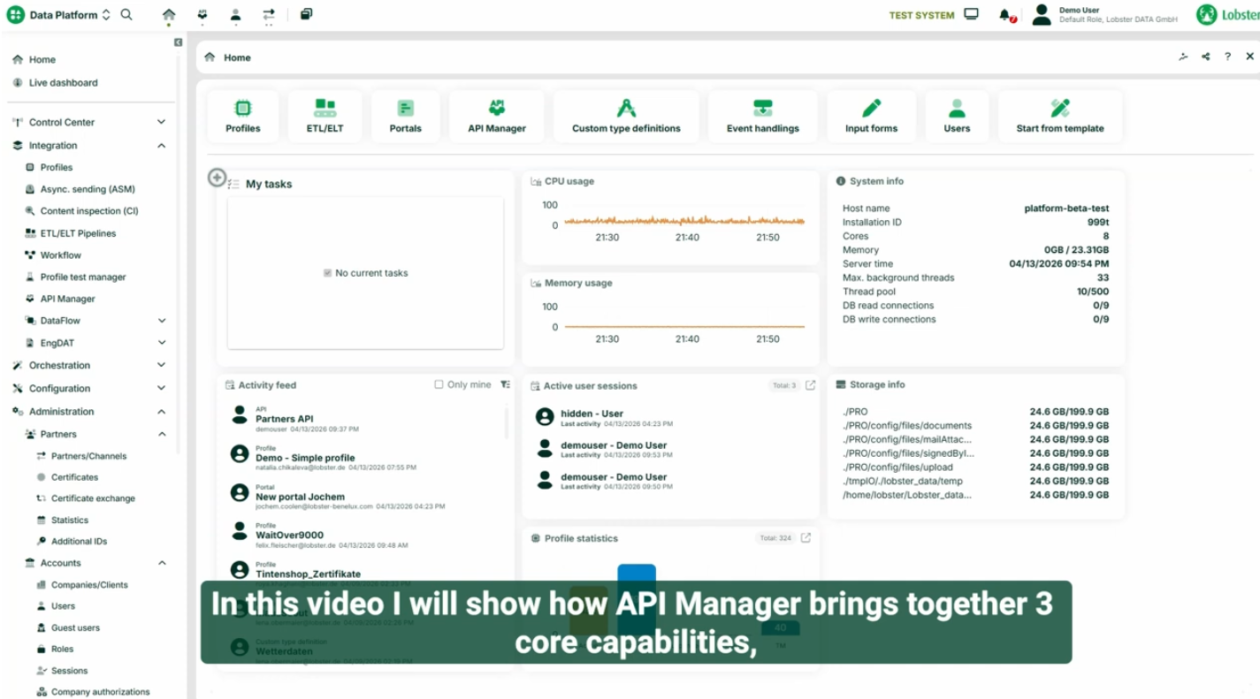
  • API Manager: Full lifecycle management for REST APIs – rate limiting per partner, RBAC, versioning with deprecation notices, and OpenAPI export
  • Enterprise Vault Integration: Complete certificate and password management through Azure Key Vault and HashiCorp Vault
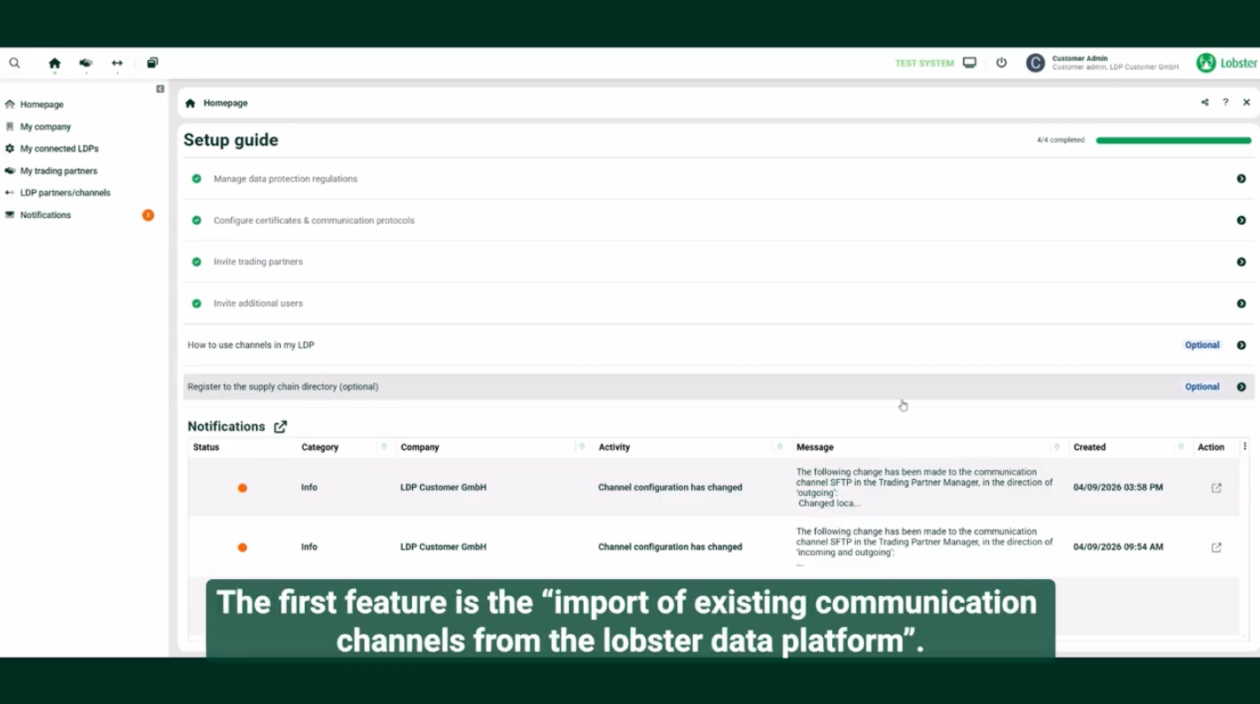
  • Trading Partner Manager: Import existing partner connections and enable self-service for certificate and master data updates
  • Pathfinder AI enhancements: New RegEx syntax generator and refreshed co-pilot interface
  • Process Map: Search, filtering, error visibility, and visual refinements based on early adopter feedback


The Challenge of Operating at Scale.

Your APIs deserve more than basic endpoints. Your credentials shouldn’t live in spreadsheets. Your trading partners shouldn’t wait days for a certificate update. And your team shouldn’t need to SSH into a server just to change a system setting.

As supply chain integration environments grow – more systems, more external partners, more data formats and protocols – the operational overhead of managing it all grows with it. API governance, credential security, partner coordination: these are the challenges that come with running a data integration platform at enterprise scale.

Spring Release 26.2 addresses exactly that. Available to all Lobster Data Platform customers starting 21 April 2026, this release brings full API lifecycle management, complete enterprise vault integration including certificate support, expanded self-service for your trading partners, smarter AI assistance, and continued investments in integration visualisation – all designed to help you take charge of your data flows and operate more efficiently.

API Manager – Full API Lifecycle Management, Built into Your Integration Platform.

You’ve built integrations that work. Data flows reliably between your ERP, your warehouse systems, your partners. But now someone asks: “Can we expose this as an API?” And suddenly you’re navigating limitations. How do you set rate limits per customer? How do you version endpoints gracefully? How do you control exactly who can access what?

If you came from the EDI world – and many of our customers did – file-based data exchange is your comfort zone. But the world increasingly expects APIs. The new API Manager bridges these worlds, letting you expose your proven integration logic through modern, professionally managed REST APIs.

Most iPaaS platforms treat API management as a separate concern – requiring an external API gateway or a dedicated management layer. With Lobster, API lifecycle management is built directly into the Data Platform. The API Manager is now officially available for the first time. While we quietly made foundational capabilities accessible in 26.1 for early exploration, this is the first full, supported release – with a complete feature set for managing the entire lifecycle of your REST APIs and MCP tools.

Key capabilities:
  • Rate limiting by partner channel: Set rate limits not just per API, but per partner channel – giving you granular control over how each consumer uses your services
  • Role-based access control (RBAC): Define precisely which users, API keys, or credentials can access which endpoints
  • Versioning with deprecation notices: Version your APIs properly and notify consumers when endpoints are being retired, with clear migration paths
  • OpenAPI export: Generate and share OpenAPI specification documents with your API consumers so they can integrate seamlessly
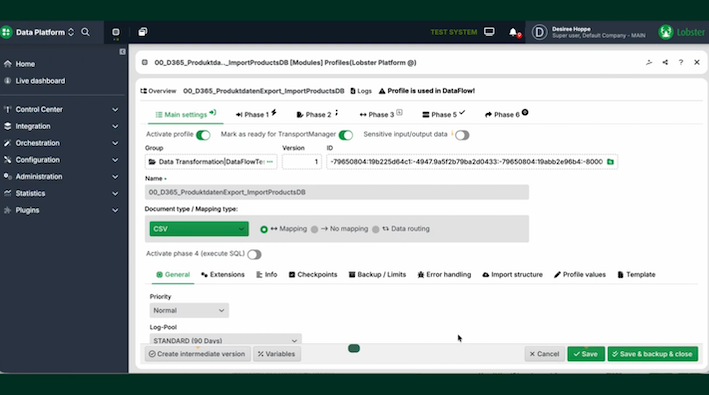
  • Profile integration: Layer the API Manager on top of existing integration profiles – expose your proven integration logic through modern APIs without rebuilding from scratch
  • Protocol flexibility: Works identically for REST APIs and MCP tools

Why it matters: API Manager lets you publish professional-grade APIs without the professional-grade complexity. Whether you’re modernising legacy EDI integrations or building new API-based services, you now have enterprise-level control over access, rate limiting, and API lifecycle – all from a unified interface within your data integration platform.


Enterprise Vault Integration – Centralised Certificate and Password Management.

You’re rotating passwords quarterly, as security policy demands. You’re managing certificates for dozens – maybe hundreds – of AS2 connections, many of them expire once in every one or two years. Each update means touching multiple configurations across the platform. Miss one, and communication breaks. Forget one expired certificate, and Friday night becomes an incident response session.

For smaller deployments, this is manageable. But when you’re a logistics company with 300 trading partners, each with their own certificates and credentials, managing this inside the platform becomes a full-time job. And that’s before considering that your security team probably wants these credentials in their central vault anyway – not scattered across different systems.

Building on the password support introduced in Winter Release 26.1, the Data Platform now offers complete enterprise vault integration including full certificate management.

Key capabilities:
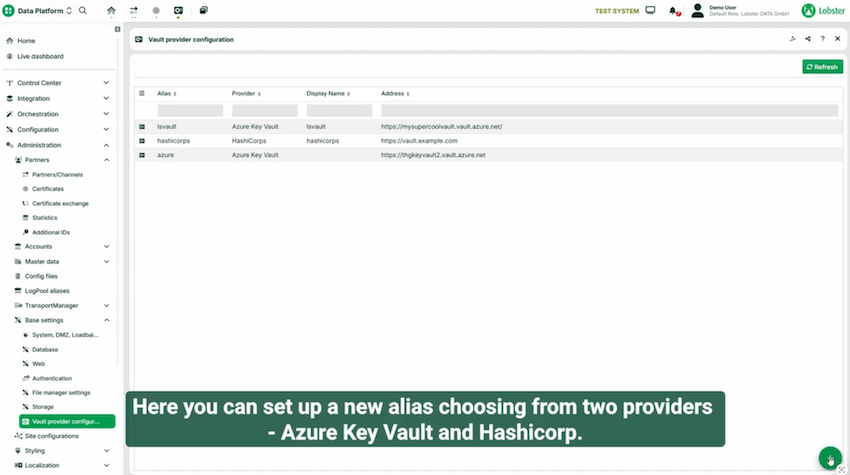
  • Azure Key Vault and HashiCorp Vault support: Connect to the two most widely adopted enterprise vault systems
  • Certificate management: Store and manage AS2 certificates and other connection credentials centrally – not just passwords
  • One-time setup: Enable vault support on any credential or certificate field, paste your vault key once, and you’re done – the platform handles retrieval automatically from that point forward
  • Platform-independent: Your vault serves your entire infrastructure, not just Lobster – maintaining your security team’s centralised control

Why it matters: Enterprise vault integration eliminates the scattered credential problem. Set it up once, and every password rotation or certificate renewal happens in one place – your vault – automatically reflected everywhere it’s needed. Fully managed by your security team or administrator. Your security team stays happy, and your Friday nights stay peaceful.

Pathfinder AI Enhancements – Your Integration Co-Pilot Gets Smarter.

Pathfinder has been helping you find the right functions, generate SQL queries, and build crontab expressions through natural language. But there was a gap: RegEx. Those cryptic but powerful patterns that you need occasionally but never quite remember the syntax for.

This release adds a dedicated RegEx agent to Pathfinder and delivers a refreshed user experience across the entire co-pilot interface.

RegEx Syntax Generation: Describe Your Pattern, Get Working Syntax.

Describe what you want to match in plain language, and Pathfinder generates valid RegEx syntax ready to copy directly into your configuration – with full awareness of the context you’re working in. You can also provide existing RegEx syntax and Pathfinder explains what it does in clear terms. No more Stack Overflow tabs or RegEx cheat sheets. Just describe your goal or paste your pattern and get what you need.

Key capabilities:
  • RegEx syntax generator: Describe patterns in natural language, get valid RegEx with context awareness
  • RegEx explanation: Provide existing syntax and Pathfinder explains what it does in clear, understandable terms
  • Modernised interface: Improved visibility and design make Pathfinder feel like a natural part of your workflow, not an add-on
  • Smoother context interaction: Better integration between Pathfinder suggestions and configuration items across different areas of the platform

Why it matters: Pathfinder continues to evolve from a helpful assistant into an indispensable co-pilot. The RegEx agent fills a real gap. And this is just the beginning – Pathfinder continues to learn new skills with every release.

Trading Partner Manager – Import Existing Partners and Enable Self-Service Onboarding.

In 26.1, we introduced Trading Partner Manager to streamline onboarding new trading partners into your supply chain integration infrastructure. But what about the partners you’ve already connected over the years – the hundreds of existing relationships managed through partner channels?

Here’s a scenario that plays out daily: A trading partner needs to update their certificate because the old one expires next week. They send an email. It lands in a shared inbox. Someone picks it up, verifies it, makes the change in the platform. Maybe that takes a day. Maybe it takes three. Meanwhile, communication is at risk, and your team is doing manual work that adds no strategic value.

Trading Partner Manager now supports importing your existing connections and enabling self-service for your trading partners.


Key capabilities:
  • Import existing connections: Bring your existing partner channel configurations into Trading Partner Manager – no need to start from scratch
  • Certificate self-service: Trading partners can upload new certificates themselves when rotation is required, eliminating the email-and-wait cycle
  • FTPS support: Configure FTPS (Explicit/Implicit) as an additional communication channel in Trading Partner Manager.
  • Channel transfer: A managed channel on the Trading Partner Manager can easily be transferred to another active Lobster Data Platform.
  • Automatic sync: Approved changes flow automatically to your connected Lobster Data Platform instance

Why it matters: Trading Partner Manager transforms partner maintenance from a bottleneck into a self-service workflow. Your partners get instant updates without waiting on emails. Your team stops processing routine changes and focuses on what actually matters. Everyone wins.

Process Map – Integration Visualisation, Refined and Ready.

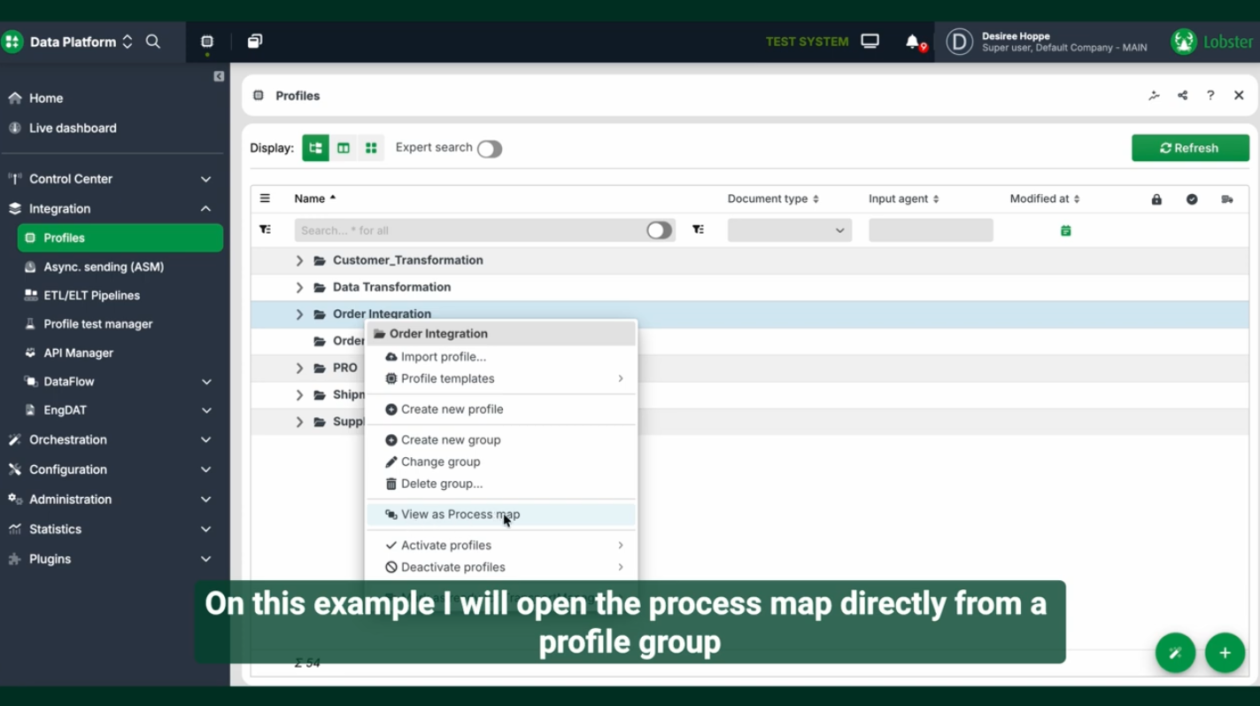
When we introduced Process Map in 26.1, we gave you the ability to visualise your entire data integration landscape – seeing dependencies, understanding what triggers what, and troubleshooting with full context. Early adopters put it to work immediately, and their feedback has shaped this release.
Spring Release 26.2 delivers refinements across the board: better visual clarity, improved navigation, clearer error visibility directly on the map, and the search and filtering capabilities that complete the experience.

Key enhancements:
  • Design system alignment: Process Map now follows the platform’s updated design language for a more cohesive experience
  • Improved visual clarity: Refined node content and navigation based on early adopter feedback
  • Ribbon bar with search and filtering: Find what you need quickly with new layout controls and search functionality – completing the navigation experience we envisioned from the start
  • Error state visualisation: Nodes now visually indicate when an error occurred in the last profile run, making it easier to identify and investigate issues directly from the map.

Why it matters: Process Map was already powerful. Now it’s polished. As we continue investing in integration visualisation capabilities, these foundational improvements ensure Process Map becomes an indispensable part of how you understand and manage your integrations.

Academy Update: Level Up with Data Hero Certifications.

Great software deserves great training – and we’ve been busy expanding the Lobster Academy to help you and your team get the most out of the Data Platform.
Our structured Data Hero learning path now offers two certification levels:

  1. Data Hero Starter (Free, self-service)

    Your on-ramp to the platform. This free certification covers the essentials across six modules — from first steps and profiles to mapping, phases, orchestration, entities, and forms. Perfect for new team members or anyone looking to solidify their foundational knowledge.

  2. Data Hero Scout (Free self-service or paid instructor-led)

    Ready to go deeper? The Scout certification builds on your Starter knowledge with seven advanced modules covering custom entities, XML/JSON data formats, data import into orchestration, form design, data export, web services, databases, and REST API connections. Choose between self-paced learning or instructor-led sessions for a more guided experience.

  3. Coming soon:
    • Administration Training – Video course with certification (available this month)
    • Installation Training – Video course with certification (available this month)
    • Profile Chains and Sub Profiles (June 2026)

Whether you’re onboarding new colleagues or upskilling your existing team, the Data Hero learning path gives you a clear, structured route from beginner to specialist – at your own pace.

Further Improvements.

We’re committed to helping our customers solve any integration challenge. Beyond the major features in this release, we continuously improve core capabilities, productivity, and user experience. We know: even the smallest improvements can make your day-to-day work faster, smoother, and easier.

  • CEP Connector Expansion: Building on our Courier, Express, and Parcel connectivity introduced in 25.1, we’ve added a connector for PostNL – extending coverage across European carriers without additional integration work.
  • Test and Archive Restart Options: Improved restart options for test and archived files make it easier to iterate on profile settings during development and troubleshooting.
  • SQL Console Limits Increased: Higher row and column limits in the SQL console make it more practical for working with larger datasets.
  • Disable local login after configuring SSO: Strengthen security by disabling password-based logins and enforcing trusted authentication methods like SSO or LDAP — giving you greater control and visibility over how users access your platform.
  • In-Application Restart: Restart your Lobster Data Platform directly from the software with a new safe restart option – no need to access the underlying server or virtual machine.
  • Enhanced Salesforce Bulk API v2 Integration: Full support for both Salesforce Bulk API v1 and v2 brings dramatically more efficient high-volume data synchronization – reducing API consumption by up to 95% in bulk scenarios. If you’re managing large Salesforce datasets, this means fewer API limit concerns and lower operational costs without sacrificing performance.
  • AWS Signature Version 4 (SigV4) Support: AWS Signature Version 4 is now an officially supported authentication method, eliminating the need for custom authentication code when connecting to AWS REST APIs and services. Configure it once and get secure, compliant access to the full AWS ecosystem – turning what used to be days of development into a simple setup step.
  • Java 21 LTS Support: Updated Java support brings performance improvements and prepares the platform for the future.

Spring Release 26.2

Work faster, with more control and less overhead. Professional-grade tools for every Lobster Data Platform customer.

Available 21 April 2026

Install Spring Release 26.2 at your earliest convenience.

How to upgrade

We recommend upgrading your test environment first before production.

Helping hand?

Need early cloud access? Contact [email protected]

Lobster Cloud installations will be upgraded automatically as part of the May upgrade cycle.

Explore the full documentation.

Take a deep dive into what this new Release 26.2 means for you.

Read now